



Prevent foreign-owned apps from collecting your personal data
NEWNow you can listen to News articles!
Maybe you don’t think twice about that flashlight app you downloaded or that cute game your grandchildren recommended. However, with a single touch, your private data could travel halfway around the world and into the hands of people who profit from its sale. A growing threat is emerging as foreign-owned apps quietly collect massive amounts of personal data about you, and older Americans are among the most vulnerable.
Sign up to receive my FREE CyberGuy report
Get my best tech tips, urgent security alerts, and exclusive offers delivered right to your inbox. Plus, you’ll get instant access to my Ultimate Guide to Surviving Scams, free when you join me CYBERGUY.COM information sheet.
The hidden cost of ‘free’ apps
We all love free apps. Whether it’s a shopping deal finder, weather tracker, or photo editor, they make life easier. But many of these “free” tools aren’t really free; They just don’t charge you money. Instead, they collect your personal information and sell it for profit.
A recent study revealed that more than half of the most popular foreign-owned apps available in US app stores collect sensitive user data, including their location, contacts, photos, and even keystrokes.
Many “free” applications secretly collect users’ personal data and send private information to foreign servers without consent. (Kurt “CyberGuy” Knutsson)
Some of the worst offenders are apps that seem completely harmless:
- Flashlight and weather apps that track your GPS location 24/7.
- Shopping apps that collect purchase history, payment preferences, and home addresses.
- Casual games that request access to your camera and contacts for no logical reason.
These apps often share data with data brokers and ad networks abroad, where privacy laws are weaker and accountability is nearly impossible.
HOW SCAMMERS SERVE YOU EVEN WITHOUT SOCIAL MEDIA
Why retirees are prime targets
If you’re retired, you may already be on dozens of public databases, such as voter lists, real estate listings, and charity donor lists. Combine that with information collected from apps and scammers will be able to create a frighteningly detailed profile of your life.
Flashlight, weather, and shopping apps often ask for unnecessary access to your camera, contacts, and location to track you 24 hours a day. (Photo/Getty Images)
You can see:
- Where you live and who lives with you.
- What medications are you looking for?
- What causes you support or charities you donate to.
- What devices you own and what banks you use.
From there, they can create very convincing scams, such as fake donation requests, Medicare scams either phishing texts which seems disturbingly personal. Some even use their social media photos to imitate family members in “grandparent scams.” And it all starts with what you allowed access to that “harmless” app.
Signs Your Data May Already Be Exposed
You don’t have to be a tech expert to spot the warning signs. Here’s what to look for:
- Unknown charges or new accounts in your name.
- An increase in fraudulent calls or text messages, especially with personal details such as your city or bank.
- Emails from foreign domains claiming to offer rewards or urgent account updates.
- Ads that appear to “read your mind,” which appear right after you talk about something offline.
If you’ve noticed any of these, chances are your information is circulating through data brokers who bought it from app networks.
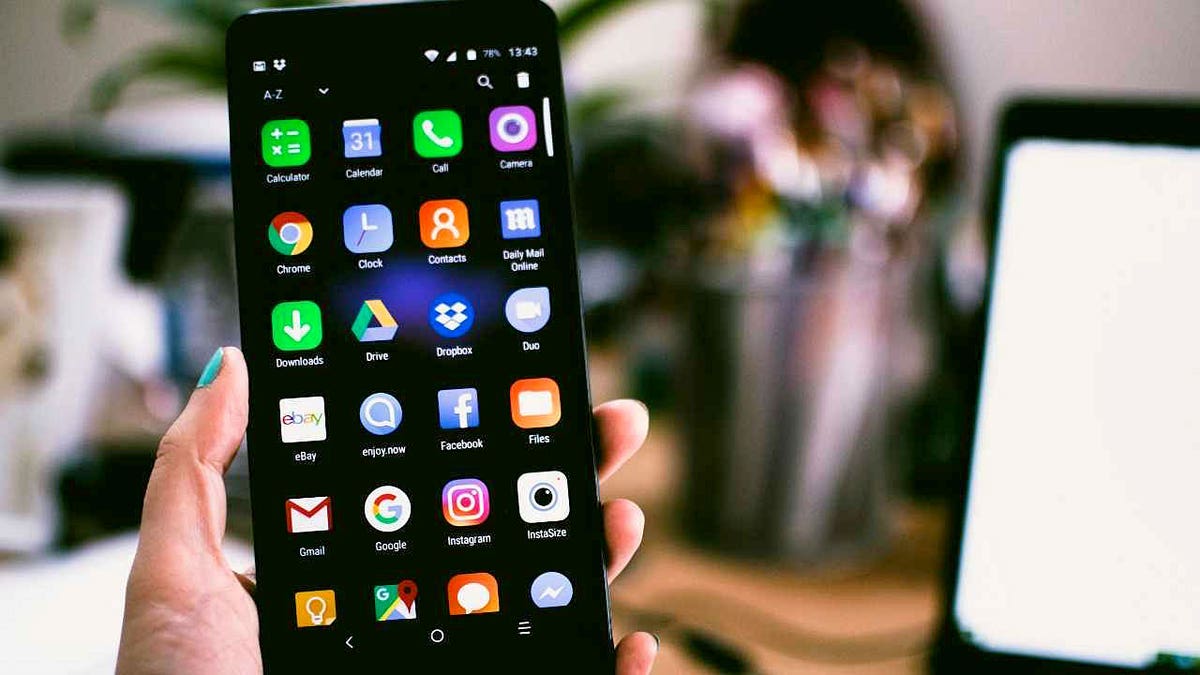
Older Americans are the main targets, but simple measures like removing risky apps and reviewing permissions can help protect their privacy. (Kurt “CyberGuy” Knutsson)
How to stop data leak
You can take back control of your data from now on.
1) Audit your applications
Check your phone and delete any apps you don’t use regularly, especially free ones from unknown developers.
2) Prevent data brokers from exchanging your information
Even after removing risky apps, your personal information may already be circulating online. This is where a data removal service can make a big difference. While no service can guarantee complete removal of your data from the Internet, a data erasure service is truly a smart choice. They are not cheap, and neither is your privacy. These services do all the work for you by actively monitoring and systematically deleting your personal information from hundreds of websites. It’s what gives me peace of mind and has proven to be the most effective way to delete your personal data from the Internet. By limiting the information available, you reduce the risk of scammers cross-referencing leak data with information they can find on the dark web, making it harder for them to target you.
Check out my top picks for data removal services and get a free scan to find out if your personal information is already available on the web by visiting CyberGuy.com
Get a free scan to find out if your personal information is already available on the web: CyberGuy.com
3) Check permissions
Open your settings and check which apps have access to your location, contacts, or camera. Revoke any unnecessary permissions immediately.
TEA APP HACKED WHILE WOMEN’S PHOTOS, ID’S AND EVEN DMS LEAKED ONLINE
4) Avoid “foreign-owned” apps that ask for broad access without a clear reason.
Always read the privacy policy (yes, it’s tedious but insightful). If an app asks for permissions that don’t match its purpose, like a calculator that wants your location or a flashlight that needs camera access, that’s a major red flag. Many foreign-owned apps hide behind vague privacy terms that allow data to be transferred to foreign servers where US privacy laws do not apply.
5) Only use official stores
Go to the Apple App Store or Google Play Store to download. Avoid third-party sites that host cloned or manipulated versions of popular apps. Look for verified developers and check privacy ratings in reviews before installing anything new.
6) Keep your device and apps updated
The updates close security holes that hackers exploit using malicious applications. Activate automatic updates so your phone and apps stay protected without you having to remember.
7) Turn off ad tracking
Limit the amount of your activity that is shared with advertisers.
On iPhone:
Gonna Settings → Privacy & Security→ Follow-up and deactivate “Allow apps to request tracking.”
On Android:
(SSettings may vary depending on your Android phone manufacturer)
Gonna Settings → Google → Ads (either Settings → Privacy → Ads) and choose “Remove advertising ID” either “Reset advertising ID.” This action removes or replaces your unique ID so that apps and advertisers can no longer use it for personalized ad tracking.
This step prevents apps from tracking you across other platforms and creating data profiles about your habits.
CLICK HERE TO DOWNLOAD THE News APP
Kurt’s Key Takeaway
Foreign-owned apps are the new frontline in data collection, and retirees are the easiest targets. But you don’t have to accept that your private life is public property. It’s time to take back control. Delete apps you don’t need. Lock your permissions. And let a data removal service erase your data trail before scammers can use it against you.
Have you checked which of your apps could be secretly sending your personal data abroad? Let us know by writing to us at CyberGuy.com.
Sign up to receive my FREE CyberGuy report
Get my best tech tips, urgent security alerts, and exclusive offers delivered right to your inbox. Plus, you’ll get instant access to my Ultimate Guide to Surviving Scams, free when you join me CYBERGUY.COM information sheet.
Copyright 2025 CyberGuy.com. All rights reserved.
Kurt “CyberGuy” Knutsson is an award-winning technology journalist with a deep love for technology, gear and gadgets that improve lives with his contributions to News and News Business since mornings on “News & Friends.” Do you have any technical questions? Get Kurt’s free CyberGuy newsletter, share your voice, a story idea or comment on CyberGuy.com.