



Google Fast Pair flaw allows hackers to hijack headphones
NEWNow you can listen to News articles!
Google designed Fast Pair to make Bluetooth connections fast and effortless. One touch replaces menus, codes and manual pairing. That convenience now carries serious risks. Security researchers at KU Leuven discovered flaws in Google’s Fast Pair protocol that allows silent acquisition of devices. They called the attack method WhisperPair. A nearby attacker can connect to headphones, earbuds, or speakers without the owner knowing. In some cases, the attacker can also track the user’s location. Even more worrying is that victims do not need to use Android or own any Google products. iPhone users are also affected.
Sign up to receive my FREE CyberGuy report
Get my best tech tips, urgent security alerts, and exclusive offers delivered straight to your inbox. Plus, you’ll get instant access to my Ultimate Guide to Surviving Scams, free when you join me CYBERGUY.COM information sheet.
APPLE WARNS THAT MILLIONS OF IPHONES ARE EXPOSED TO ATTACKS
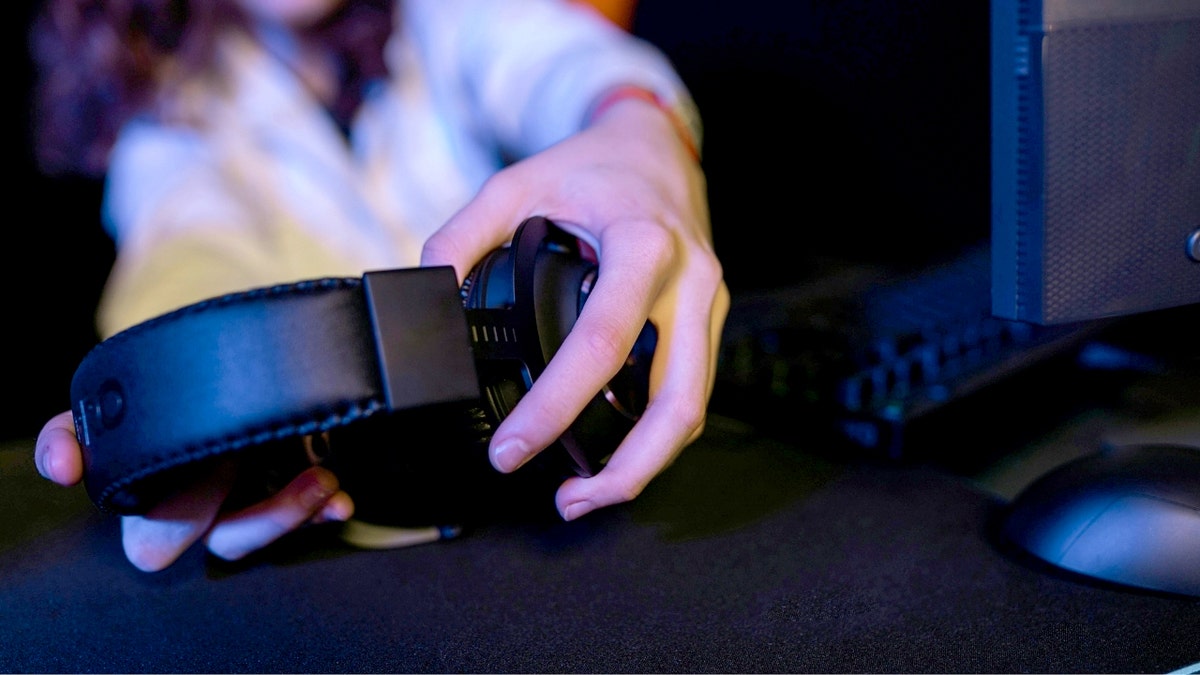
Fast Pair makes connecting Bluetooth headphones faster, but researchers found that some devices accept new pairings without proper authorization. (Kurt “CyberGuy” Knutsson)
What is WhisperPair and how does it hijack Bluetooth devices?
Fast Pair works by transmitting a device’s identity to nearby phones and computers. That shortcut speeds up pairing. The researchers found that many devices ignore a key rule. They still accept new matches while they are already connected. That opens the door to abuse.
Within Bluetooth range, an attacker can silently pair with a device in approximately 10 to 15 seconds. Once connected, they can interrupt calls, inject audio or activate microphones. The attack does not require specialized hardware and can be carried out using a standard phone, laptop or a low-cost device such as a Raspberry Pi. According to the researchers, the attacker effectively becomes the owner of the device.
Audio brands affected by Fast Pair vulnerability
Researchers tested 17 Fast Pair-compatible devices from major brands, including Sony, Jabra, JBL, Marshall, Xiaomi, Nothing, OnePlus, Soundcore, Logitech and Google. Most of these products passed Google certification tests. That detail raises uncomfortable questions about how security checks are carried out.
How headphones can become tracking devices
Some affected models create an even bigger privacy problem. Select Google and Sony devices integrate with Find Hub, which uses nearby devices to estimate location. If a headset has never been linked to a Google account, an attacker can claim it first. This allows continuous monitoring of the user’s movements. If the victim later receives a tracking alert, it may appear to refer to their own device. That makes the warning easy to dismiss as an error.
GOOGLE NEST STILL SENDING DATA AFTER REMOTE CONTROL OUTAGE, INVESTIGATOR FINDS
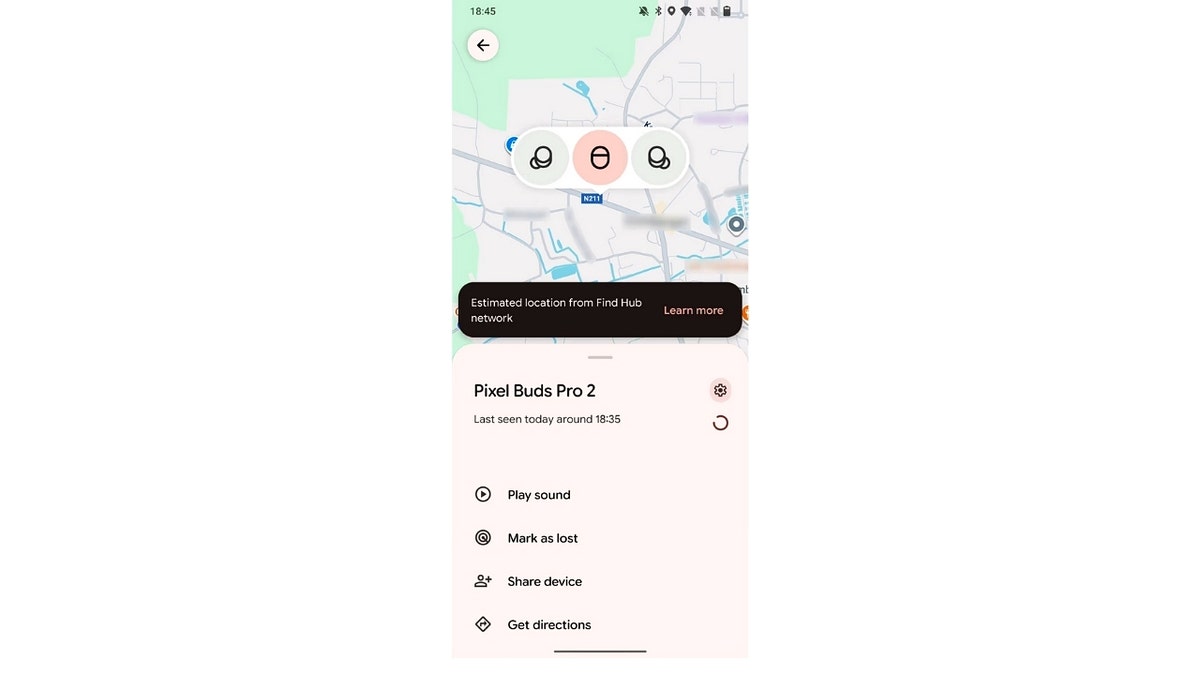
Attacker panel with Find Hub network location. (KU Leuven)
Why many Fast Pair devices may still be vulnerable
There is another problem that most users never consider. Headphones and speakers require firmware updates. Those updates usually arrive through brand-specific applications that many people never install. If you never download the app, you will never see the update. That means vulnerable devices could remain exposed for months or even years.
The only way to fix this vulnerability is by installing a software update issued by the device manufacturer. While many companies have released patches, updates may not yet be available for all affected models. Users should check directly with the manufacturer to confirm if a security update exists for their specific device.
Why convenience continues to create security gaps
The Bluetooth itself was not the problem. The flaw lies in the layer of convenience built on top of it. Fast Pair prioritized speed over strict ownership enforcement. The researchers maintain that pairing should require cryptographic proof of ownership. Without it, convenience features become attack surfaces. Security and ease of use do not have to be in conflict. But they must be designed together.
Google responds to Fast Pair WhisperPair security flaws
Google says it has been working with researchers to address the WhisperPair vulnerabilities and began shipping recommended patches to headphone manufacturers in early September. Google also confirmed that its own Pixel headphones are now patched.
In a statement to CyberGuy, a Google spokesperson said: “We appreciate collaborating with security researchers through our Vulnerability Bounty Program, which helps keep our users safe. We worked with these researchers to address these vulnerabilities and have not seen evidence of any exploits outside of the lab environment of this report. As a security best practice, we recommend users check their headsets for the latest firmware updates. We are constantly evaluating and improving the security of Fast Pair and Find Hub.”
Google says the main problem arose because some accessory manufacturers did not fully follow the Fast Pair specification. That specification requires accessories to accept pairing requests only when a user has intentionally placed the device in pairing mode. According to Google, failure to follow that rule contributed to the audio and microphone risks identified by researchers.
To reduce risk in the future, Google says it has updated its Fast Pair Validator and certification requirements to explicitly test whether devices correctly apply pairing mode checks. Google also says it provided partners with accessory solutions intended to completely resolve all related issues once applied.
As for location tracking, Google says it’s implemented a server-side solution that prevents accessories from silently registering to the Find Hub network if they’ve never been paired with an Android device. According to the company, this change addresses the risk of Find Hub tracking in that specific scenario on all devices, including Google accessories.
However, researchers have raised questions about how quickly patches reach users and how much visibility Google has into real-world abuses that don’t involve Google hardware. They also argue that weaknesses in certification allowed flawed implementations to reach the market on a large scale, suggesting broader systemic problems.
For now, both Google and researchers agree on one key point. Users must install firmware updates from the manufacturer to be protected and availability may vary by device and brand.
SMART HOME HACKING FEARS: WHAT’S REAL AND WHAT’S ACCURATE
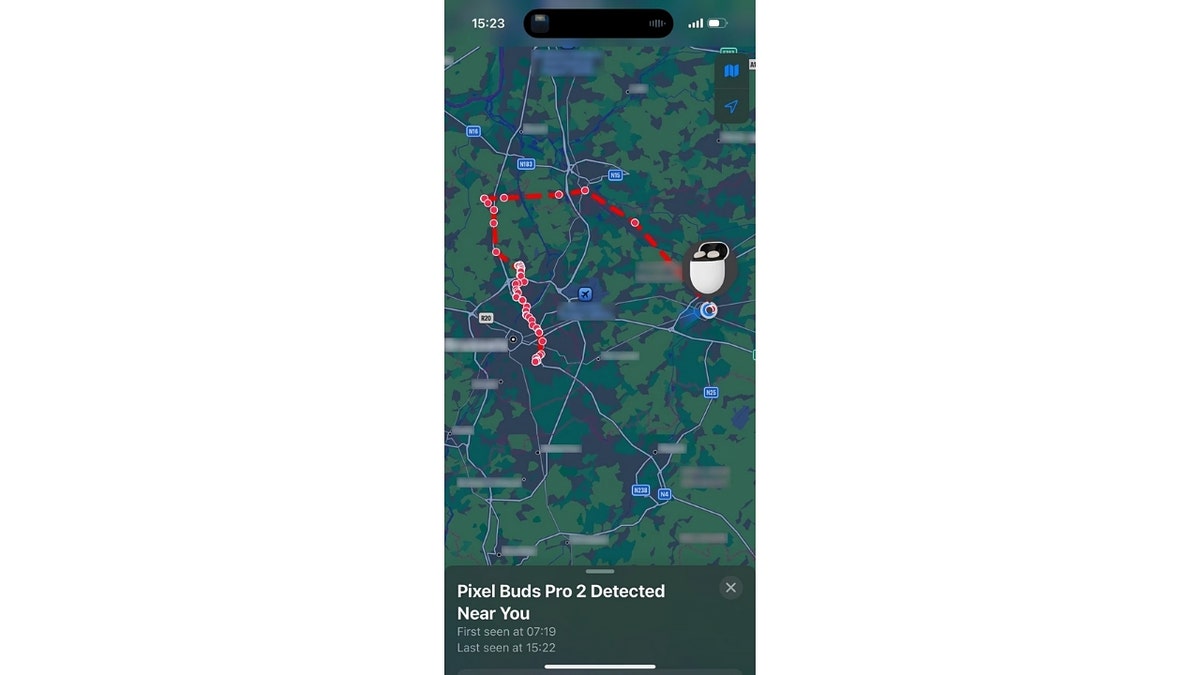
Spam tracking notification showing the victim’s own device. (KU Leuven)
How to reduce your risk right now
You can’t turn off Fast Pair completely, but you can reduce your exposure.
1) Check if your device is affected
If you use a Bluetooth accessory that supports Google Fast Pair, including headphones, earbuds, or wireless speakers, you may be affected. The researchers created a public search tool that allows you to search for your specific device model and see if it is vulnerable. Checking your device is a simple first step before deciding what actions to take. Visit susurrpair.eu/vulnerable-devices to see if your device is on the list.
2) Update your audio devices
Install the official app from the manufacturer of your headphones or speakers. Check for firmware updates and apply them immediately.
3) Avoid pairing in public places
Pair new devices in private spaces. Avoid pairing up in airports, coffee shops, or gyms where strangers are nearby.
4) Factory reset if something doesn’t work
Unexpected audio interruptions, strange sounds, or dropped connections are warning signs. A factory reset can eliminate unauthorized pairings, but it does not fix the underlying vulnerability. A firmware update is still required.
5) Turn off Bluetooth when not needed
Bluetooth only needs to be activated during active use. Turning off Bluetooth when not in use limits exposure, but does not eliminate the underlying risk if the device is not patched.
6) Reset second-hand devices
Always reset used headphones or speakers to factory settings before pairing. This removes hidden links and account associations.
7) Take tracking alerts seriously
Investigate tracking alerts from Find Hub or Apple, even if they appear to refer to your own device.
8) Keep your phone up to date
Install operating system updates promptly. Platform patches can block exploit paths even when fixtures are left behind.
Kurt’s Key Takeaways
WhisperPair shows how small shortcuts can lead to big privacy failures. The headphones feel harmless. However, they contain microphones, radios, and software that need care and updates. Ignoring them leaves a blind spot that attackers are happy to exploit. Staying safe now means paying attention to the devices you once took for granted.
Should companies be allowed to prioritize quick pairing over cryptographic proof of device ownership? Let us know by writing to us at Cyberguy.com
CLICK HERE TO DOWNLOAD THE News APP
Sign up to receive my FREE CyberGuy report
Get my best tech tips, urgent security alerts, and exclusive offers delivered straight to your inbox. Plus, you’ll get instant access to my Ultimate Guide to Surviving Scams, free when you join me CYBERGUY.COM information sheet.
Copyright 2026 CyberGuy.com. All rights reserved.
Kurt “CyberGuy” Knutsson is an award-winning technology journalist with a deep love for technology, gear and devices that improve lives with his contributions to News and News Business since mornings on “News & Friends.” Do you have any technical questions? Get Kurt’s free CyberGuy newsletter, share your voice, a story idea or comment on CyberGuy.com.