



Remove Fake VPN App That Steals Android Users’ Money
NEWNow you can listen to News articles!
Malware targeting Android devices has become increasingly sophisticated. From fake banking apps to phishing campaigns, attackers are finding new ways to trick you into handing over sensitive data.
One of the latest threats comes in the form of malicious apps that look legitimate but can take complete control of your device. Security researchers are now warning Android users to remove a fake VPN and streaming app that may allow criminals to take over your phone and empty your bank account.
Sign up to receive my FREE CyberGuy report
Get my best tech tips, urgent security alerts, and exclusive offers delivered straight to your inbox. Plus, you’ll get instant access to my Ultimate Guide to Surviving Scams, free when you join me CYBERGUY.COM information sheet.
How Klopatra infects devices
The malicious VPN and streaming app is called Mobdro Pro IP TV + VPN and was recently discovered by Cleafy researchers. Once you install the app, it launches a strain of malware called Klopatra. It is a new and highly sophisticated Android malware that is currently used in active campaigns targeting financial institutions and their customers.
THIS CHROME VPN EXTENSION SPIES ON YOU SECRETLY
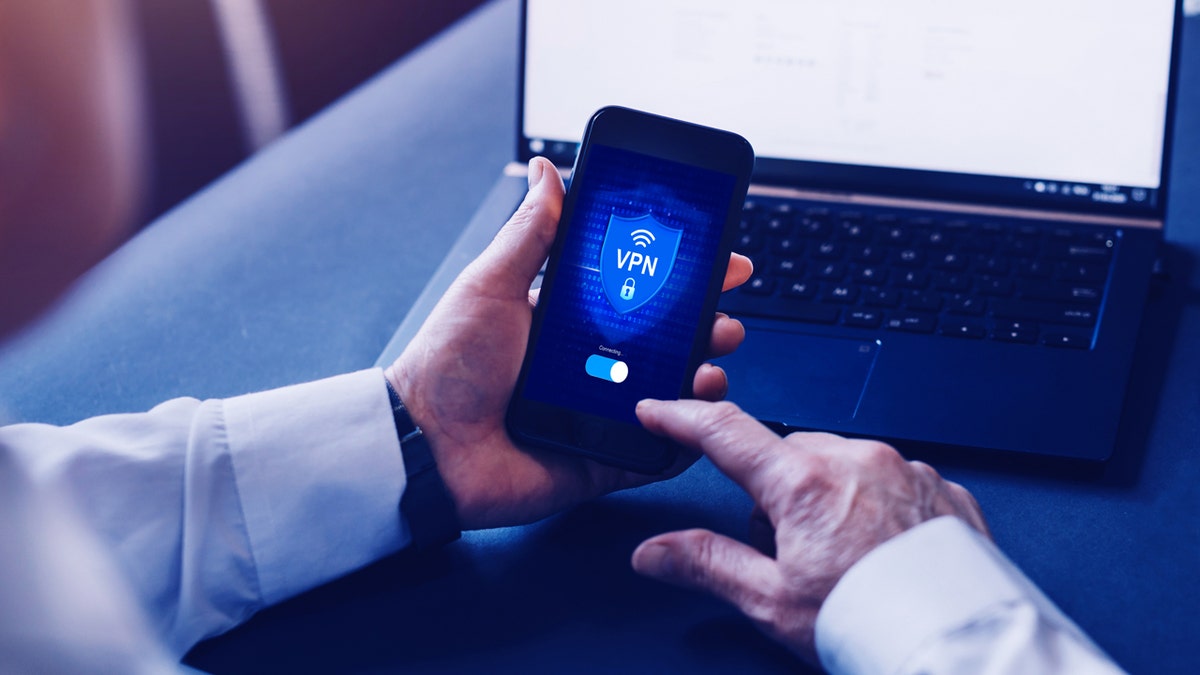
Fake VPN apps can hide dangerous malware that steals your data and money. (iStock)
At first glance, the app looks like a free streaming platform that offers high-quality channels, making it attractive to Android users. However, once installed, it deploys a banking trojan and a remote access tool that gives attackers full control over the infected device. With that level of access, criminals can steal your banking credentials and even make fraudulent transactions without your knowledge.
The infection chain is carefully planned. It starts with social engineering, tricking you into downloading and installing the app from outside the official Play Store. From there, Klopatra bypasses Android’s built-in protections and digs deeper into the system to gain persistence and control.
HACKERS PUSH FAKE APPS WITH MALWARE IN GOOGLE SEARCHES

The Klopatra Trojan gives hackers full control of infected Android devices. (Kurt “CyberGuy” Knutsson)
Fake VPNs are a growing problem
VPNs are widely promoted as privacy tools that hide your IP address and encrypt internet traffic. Millions of people rely on them to bypass geo-restrictions, protect sensitive communications, or simply browse more securely. However, not all VPNs are trustworthy. Several studies have shown that popular commercial VPNs have alarming shortcomings. Some use protocols that are not designed to protect privacy, hide ownership, or do not encrypt traffic properly.
When fake apps like Mobdro are combined with these weaknesses, users are left exposed. Criminals are taking advantage of both the popularity of VPNs and the prevalence of pirated streaming services to effectively distribute malware. This growing ecosystem of risky apps underscores how important it is to research, verify, and download software only from trusted sources.
SCAMMERS NOW IMAGINE CO-WORKERS AND STEAL EMAIL THREADS IN CONVINCING PHISHING ATTACKS

Stay safe by downloading apps only from trusted sources and keeping your phone up to date. (Kurt “Cyberguy” Knutsson)
9 steps you can take to protect yourself
If you suspect that you have downloaded a fake application from the Internet, you should not panic. The steps below will help you stay protected and keep your data safe.
1) Stick to reliable sources
Download VPNs, streaming services and apps only from Google Play, Apple App Store or the developer’s official website. Avoid links on forums, social media posts, or emails promising free content.
2) Check app permissions
Carefully review what access an application requests. If it requests control over your device, settings, or accessibility services unnecessarily, do not install it. Legitimate VPNs rarely require full device control.
3) Use a secure VPN
When choosing a VPN, opt for one with strong privacy policies, transparent ownership, and strong encryption. A secure VPN ensures that your connection remains private without allowing attackers to gain a foothold.
For the best VPN software, check out my expert review of the best VPNs for private web browsing on your Windows, Mac, Android, and iOS devices at Cyberguy.com
4) Install powerful antivirus software
A powerful antivirus on your device can detect malware and suspicious behavior before damage is done. These services can scan new downloads and provide continuous protection.
The best way to protect yourself from malicious links that install malware and potentially access your private information is to have powerful antivirus software installed on all your devices. This protection can also alert you to phishing emails and ransomware scams, keeping your personal information and digital assets safe.
Get my picks for the best antivirus protection winners of 2025 for your Windows, Mac, Android, and iOS devices at Cyberguy.com
5) Monitor your accounts
Banking trojans target sensitive credentials. Identity monitoring services can alert you if your personal information appears online or is misused, helping you respond before any damage is done. Identity theft companies can monitor personal information such as your Social Security number (SSN), phone number, and email address, and alert you if it is sold on the dark web or used to open an account. They can also help you freeze your bank and credit card accounts to prevent further unauthorized use by criminals.
See my tips and best options on how to protect yourself from identity theft at Cyberguy.com
6) Remove the malicious app immediately
If you discover a suspicious app on your Android device, remove it immediately.
YesSettings may vary depending on the manufacturer of your Android phone.
- Open Settings
- Click Applications and locate the fake app.
- Tap Uninstall to remove it from your device.
- If uninstall option is not available, restart your phone in Safe mode and try again.
- After removal, run a full antivirus scan to remove any remaining malware components.
7) Keep devices up to date
Regular system updates patch security vulnerabilities exploited by malware such as Klopatra. Combined with antivirus protection, this significantly reduces the chances of infection.
8) Change passwords and enable 2FA
Once your device is secure, update your login credentials.
- Change passwords for bank, email and Google accounts immediately. Consider using a password manager to generate and store complex passwords. Check out the best expert-reviewed password managers of 2025 at Cyberguy.com/Passwords
- Light two factor authentication (2FA) for additional protection.
- Use a authenticator application instead of text messages for added security.
This step helps protect your accounts if hackers steal your credentials.
9) Report malicious application
Finally, take steps to protect others and report the threat.
- Report the fake app to Protect Google Play or you antivirus provider.
- If your banking details were exposed, contact your bank fraud department immediately.
- The reports help cybersecurity teams track and block similar fake VPNs in the future.
CLICK HERE TO DOWNLOAD THE News APP
Kurt’s Key Takeaway
Fake VPNs and streaming apps exploit your trust and loopholes in app verification processes, proving that even tech-savvy people can fall victim. While official stores offer a layer of protection, you should remain vigilant, check permissions, and rely on trusted security tools. Never download anything from random links you see on the Internet.
Do you think Google is doing enough to prevent malware from entering the Android operating system? Let us know by writing to us at Cyberguy.com
Sign up to receive my FREE CyberGuy report
Get my best tech tips, urgent security alerts, and exclusive offers delivered straight to your inbox. Plus, you’ll get instant access to my Ultimate Guide to Surviving Scams, free when you join me CYBERGUY.COM information sheet.
Copyright 2025 CyberGuy.com. All rights reserved.
Kurt “CyberGuy” Knutsson is an award-winning technology journalist with a deep love for technology, gear and devices that improve lives with his contributions to News and News Business since mornings on “News & Friends.” Do you have any technical questions? Get Kurt’s free CyberGuy newsletter, share your voice, a story idea or comment on CyberGuy.com.